
The “Invoice” Link That Gave a Stranger Control of the Computer
A vendor’s email account gets hacked. Every contact in that mailbox receives a link to an “invoice” or a “quote”. The link doesn’t open either one. It installs remote access software, and the attacker uses it to log in, hunt for saved bank and shopping logins, and send the same email to the next set of victims.
We’ve seen this twice in the past few months, at two local businesses. Here’s the second one.
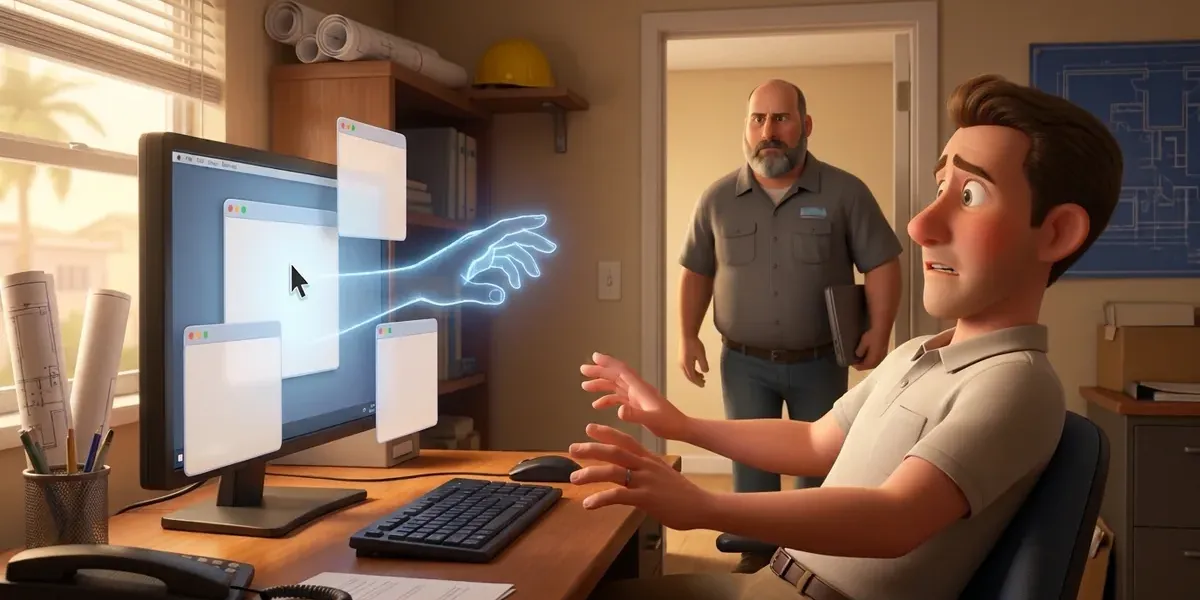
I was on site at a construction-adjacent business, looking at an unrelated problem. A staff member had opened what looked like a quote from a vendor they work with. It wasn’t a quote. The link had installed ScreenConnect, a legitimate remote access tool. While I was standing there, someone outside the building took control of the computer.
We caught it as it happened. Then we traced the email back. The attacker had hit the vendor contact who “sent” it first. His bank account was empty, and the attacker had moved his crypto out of his brokerage account.
The sender was a victim before he was ever a sender.
What we’re seeing
Both cases followed the same pattern.
- An attacker takes over a real business email account. Usually this starts with a phishing email or a stolen login.
- The attacker emails everyone in that account’s contact list. The message says something like “Please see the attached invoice” or “Here’s the quote you asked for,” with a link instead of an attachment.
- The link downloads a remote access tool. In the first case, it was a full RMM agent (remote monitoring and management software, the kind IT providers use to manage computers). In the second, it was ScreenConnect.
- The attacker connects to the computer. In the first case, they waited until evening. In the second, they connected in the middle of the workday.
- They look for money. In the first case, the attacker searched the browser for saved logins to banks and to stores that sell gift cards.
- They send the same email again, this time from the new victim’s account, to that person’s contacts.
The first business, a professional services firm, didn’t find out from an alert. They found out when their own clients started calling. Those clients had received an “invoice” email at 2 or 3 in the morning, and the link didn’t open anything that looked like an invoice. As far as we know, no money left that business. Its name was still on every one of those emails.
Why the usual defenses missed it
Both emails got past the spam filters. That’s not a filter failure in the usual sense. The emails came from real, compromised business accounts, so they passed every email authentication check. SPF, DKIM and DMARC confirm that a message really came from the sender’s domain. Here, it did.
Antivirus didn’t stop the downloads either. ScreenConnect and RMM agents are legitimate, signed software that thousands of IT teams use every day. Antivirus is built to trust them.
There’s one more reason these tools are popular with attackers. Many remote access products, ScreenConnect included, offer free trials. An attacker can sign up, get a working copy for free, and get you to unknowingly install it on your computer. No custom malware required.
Neither business was a managed services client, and neither had our standard security tools in place.
“But I don’t have anything they want”
We hear this from small business owners all the time. These two cases show why it isn’t true.
The math works at any size. These attacks cost almost nothing to run. The software comes from a free trial. The next email list comes from the last victim’s contacts. When the setup is free and automated, a few hundred or a few thousand dollars per victim is a good day’s work. That’s especially true for operators based where a few thousand dollars goes a long way. Small businesses aren’t skipped. They’re the volume.
Your email account is worth something on its own. Even if your bank balance doesn’t interest anyone, your contact list does. Your customers and vendors trust email from you. Once an attacker controls your account, every message they send carries your name.
The damage lands on your reputation. In the first case, the business learned about the attack from its clients’ phone calls. Every client who clicked that link was now at risk, because of an email with that business’s name on it.
Personal money is in reach too. In the second case, the sender lost his personal bank balance and his crypto. Many owners bank, shop and trade on the same computer they use for work. Anything saved in that browser is fair game.
How to spot a fake invoice email
The email comes from someone you know, so look at what it asks you to do. Slow down if you see any of these:
- An invoice or quote you weren’t expecting, or from a vendor that doesn’t usually send them by email
- A link instead of an attached PDF, especially to a file-sharing site
- A download that ends in .exe or .msi, or asks you to install a “viewer” or “support tool” to see the document
- The same email sent to a long list of people, or to “undisclosed recipients”
- Generic wording that doesn’t mention the actual job, order or amount
- Pressure to open it today
When something feels off, call the vendor. Use a phone number you already have, not one from the email. A 30-second call settles it.
If you clicked the link or installed something
Move quickly, and don’t try to clean it up yourself.
- Disconnect the computer from the network. Turn off Wi-Fi or unplug the network cable. Don’t keep working on it.
- Call your IT provider right away. They need to remove the tool, check for anything else the attacker left behind, and review which accounts were used on that computer.
- Change your passwords from a different device. Start with email, banking, brokerage and crypto accounts. Then change every password saved in that computer’s browser. Assume the attacker saw all of them.
- Warn the vendor. Their account is compromised, and they may not know yet. If the email may have gone out from your account too, warn your own contacts.
- Watch your accounts. Check bank, card, brokerage and crypto activity. Check store accounts for gift card purchases.
- If money is gone, report it the same day. The next section covers who to call.
- Check whether you have notification duties. If client personal information was on that computer, Florida’s Information Protection Act may require you to notify affected people within 30 days. Financial businesses also have FTC Safeguards Rule obligations. Talk to your attorney.
If money was stolen: report it fast
Speed matters more than anything else here. FinCEN, the Treasury agency that helps freeze stolen wire transfers, says recovery is most likely when the theft reaches law enforcement within 72 hours.
- Call your bank’s fraud department first. Ask them to recall the transfer and flag the receiving account. If a brokerage or crypto exchange was involved, call them too.
- File a complaint at IC3.gov. The FBI’s Internet Crime Complaint Center takes reports of online fraud, including crypto theft. Have your account details, the receiving account, the dates and amounts, and the original emails ready.
- Call the FBI Tampa Field Office at (813) 253-1000. Tampa covers central and southwest Florida, including our area. Give them your IC3 complaint number. You can also submit a tip at tips.fbi.gov.
- File a report with your local sheriff or police department. Banks and insurers often ask for a case number.
- Call your cyber insurance carrier if you have one. Some policies require you to call them before you hire outside help.
- Keep everything. Don’t delete the emails, and don’t wipe the computer until your IT provider and investigators say it’s OK.
This is general information, not legal advice.
If you’re the vendor whose account was hacked
If clients start calling about an invoice you didn’t send, act on it right away.
- Reset your email password and sign out all active sessions.
- Check for inbox rules or forwarding you didn’t set up. Attackers use them to hide replies.
- Check your MFA methods and remove any you don’t recognize.
- Tell your contacts from a separate channel, such as a phone call or text, that the email wasn’t from you.
- Have your IT provider check the computer you use for email.
- Check your personal accounts too. In our second case, the attacker also emptied the sender’s personal bank and brokerage accounts.
How to prevent it
No single tool stops this. Each layer below breaks a different link in the chain.
- Take away admin rights. If your staff can’t install software, the download can’t run. We cover how that works day to day in Why your employees shouldn’t have administrator access.
- Allow only your IT provider’s remote tool. Blocking every other remote access product shuts the door these attacks use.
- Use EDR/MDR with people watching it. A security team should get an alert when a new remote access tool appears on a computer, not hear about it from your clients.
- Stop saving banking logins in the browser. A business password manager keeps them encrypted and out of easy reach.
- Make “call to confirm” a habit. Email filters can’t block a real account sending a link to real software. A phone call can.
- Ask your vendors about MFA. Your security depends partly on theirs.
Every Managed IT plan we offer includes EDR/MDR backed by a 24/7 security operations center, DNS filtering and privileged access management, plus Keeper for passwords. Those layers exist to block the install, flag an unknown remote tool and keep passwords out of the browser. Our Microsoft 365 & Security bundle adds email filtering and 24/7 identity threat detection on top. You can see what each layer does on our cybersecurity page.
One honest limit: none of this makes an attack impossible. It makes each step harder and gets a human involved faster, so a mistake costs you an afternoon instead of your bank balance.
For more on related scams, read our posts on business email compromise, phishing, and MFA.
Common Questions
Because these attacks are cheap and automated. The remote access tools come from free trials, and each victim’s contacts become the next email list. A few thousand dollars per victim is worth it. Your email account also has value on its own, because your customers and vendors trust messages from you.
The attacker took over the vendor’s actual email account, usually through phishing or a stolen password. The message really did come from that account, which is why it looks normal and passes email security checks.
The email came from a legitimate account, so it passed authentication checks like SPF, DKIM and DMARC. The download was legitimate remote access software, such as ScreenConnect or an RMM agent, which antivirus is designed to trust.
Probably, but check. Look at your Downloads folder and your list of installed programs for anything you don’t recognize. If you entered a password on a page the link opened, change it from another device. Then tell your IT provider.
Look for unfamiliar programs such as ScreenConnect, AnyDesk or an RMM agent you didn’t approve. Watch for a mouse that moves on its own or a remote session banner. If you’re unsure, disconnect from the network and call your IT provider.
Sometimes, if you move fast. Call your bank’s fraud department first, then file a complaint at IC3.gov. FinCEN says recovery is most likely when stolen wire transfers reach law enforcement within 72 hours. Also call the FBI Tampa Field Office at (813) 253-1000.
If an “invoice” or “quote” email has you second-guessing, or you’d like to know whether your setup would catch an unknown remote tool, I’m happy to take a look. Book a 15-minute call with me, and we’ll go through it together.
Pat Midzio, Portolan Networks
